Add online booking to a salon website
For a salon or barber whose clients could book online, but whose website still says “call to schedule.” We don’t sell booking software. If you already pay for a booking tool, we put its booking link behind one Book button on every page of your site and on your Google listing.
To fix it you need the booking tool you already use, your service prices, your hours and your phone number. Without that button, anyone who wants to book at 11pm gives up.
Part of every site we build.
$1,050 once or $89 a month, with a fixed price in writing within one business day.
What it looks like
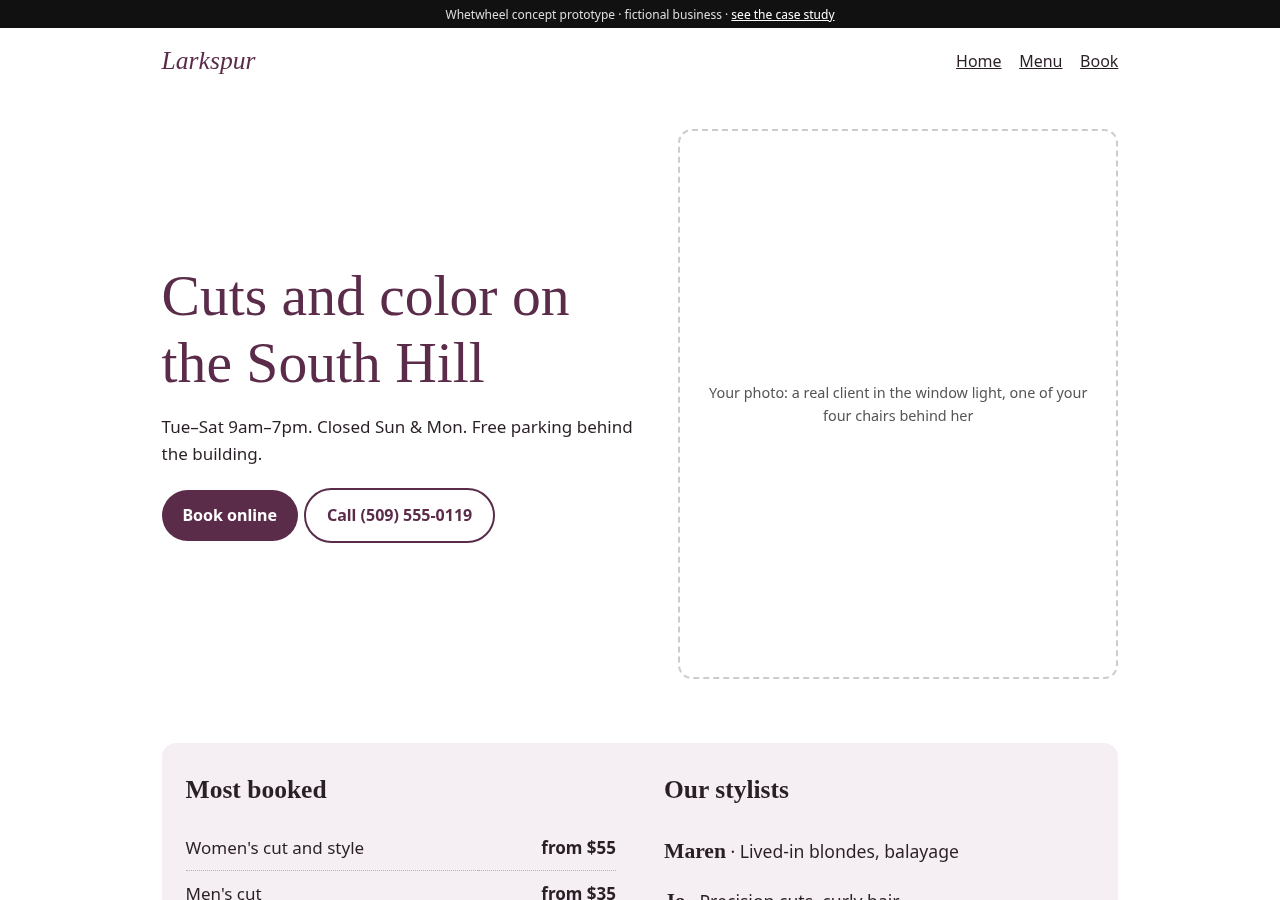
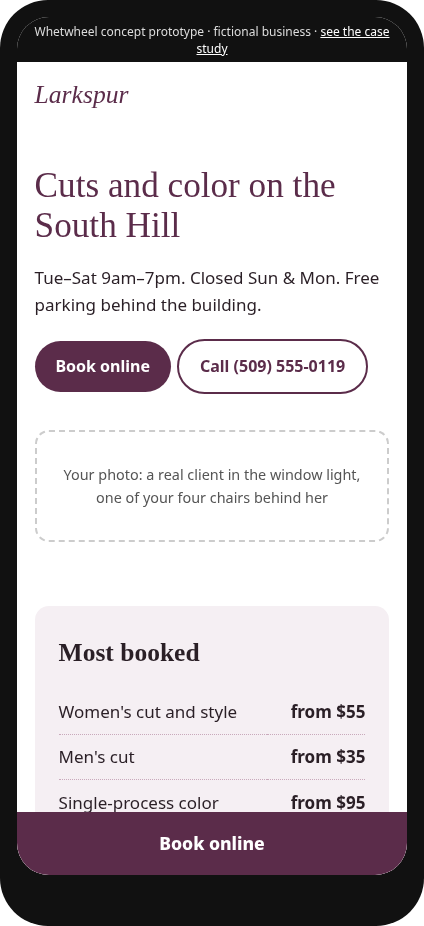
Larkspur Hair Studio is a fictional four-chair salon from our case study. Its old site said “call to schedule.” The rebuilt one has a Book button at the top, a second one under the stylists, and a bar at the bottom on phones.
Read the Larkspur case study or click through the prototype.
How to set it up
Get your public booking link. Your booking tool has a public page where clients pick a service and a time. Copy its link. In Square Appointments, the “Site published” screen shows your booking site’s URL after you publish it. For a link to put on another website, go to Appointments, then Online Booking, then Channels; under “Add your booking flow to an existing site,” select Get Started, then Get URL. In other tools, look in the online booking settings for a share or booking link.
No booking tool? Then your site gets a request form instead, asking for name, phone, service and stylist, and the best days. Every site we build includes a request or quote form. Requests come to you, and you confirm the time.
Source: Square, Set up online booking.
Put one Book button on every page. At the top of every page, and on phones in a bar that stays at the bottom of the screen. Every button opens the same link, so a client who decides at night books without calling.
Does it cost extra? No. The Book button is part of the site: $1,050 one time, or $89 a month on a Care plan. Your booking tool’s own fees are between you and the tool.
Add the same link to your Google listing. On Google Search, open your Business Profile, select Booking, then Add link, paste the link and select Save. In Google Maps, go to Edit profile and choose the booking option. If you end up with more than one booking link, pick a preferred one. Google can also show links from its booking partners on its own; you can remove the ones you don’t use.
Source: Google, Manage your local business links. Our Google Maps checklist covers the rest of the listing.
Answer the questions people ask before they book. Prices as real text, not a photo of a price list. Your hours on the home page, closed days included. A phone number people can tap, for anyone who would rather call.
Who sees my clients’ details? Your booking tool holds the names, phone numbers and appointments. The Book button is a plain link, so clients give those details straight to the tool. We don’t have access to them.
On the Larkspur home page
- Tuesday to Saturday, 9am to 7pm. Closed Sunday and Monday.
- Women’s cut and style from $55
- Men’s cut from $35
- Single process color from $95
- Balayage from $185
- Call (509) 555-0119, tappable
Sample content for a fictional salon.
When you don’t need us
- Your booking tool’s own page already does the job and clients find it. Add its link to your Google listing (step 3) and you’re set.
- Your site already has a Book button on every page, prices in text, hours on the home page and a phone number you can tap.
Start here
Get a website quote or email hello@whetwheel.com
In the form’s message box, name your booking tool and paste your public booking link.